
How to use a teleprompter on your phone
In this article
- Where should the text sit on the screen?
- How big should the font be, and how long the lines?
- How fast should a teleprompter scroll?
- Fixed scroll speed or a teleprompter that follows your voice?
- Front camera or back camera?
- Teleprompter, cue cards or memorizing?
- How do you do takes?
- Where does YapPlease fit?
- What can you try today?
- Common questions
Viewers are forgiving in one direction only. In a 2002 experiment, 16 Stanford students and recent graduates watched videos of people looking at points around a camera. If the person looked up, left or right, eye contact was lost after about 1 degree. If they looked down, the viewers were about ten times less sensitive, and the author suggested keeping that downward gap under 5 degrees 1.
That finding shapes most of a phone teleprompter setup. The front camera sits at the top of the screen, so text just below it lands in the forgiving zone.
Where should the text sit on the screen?
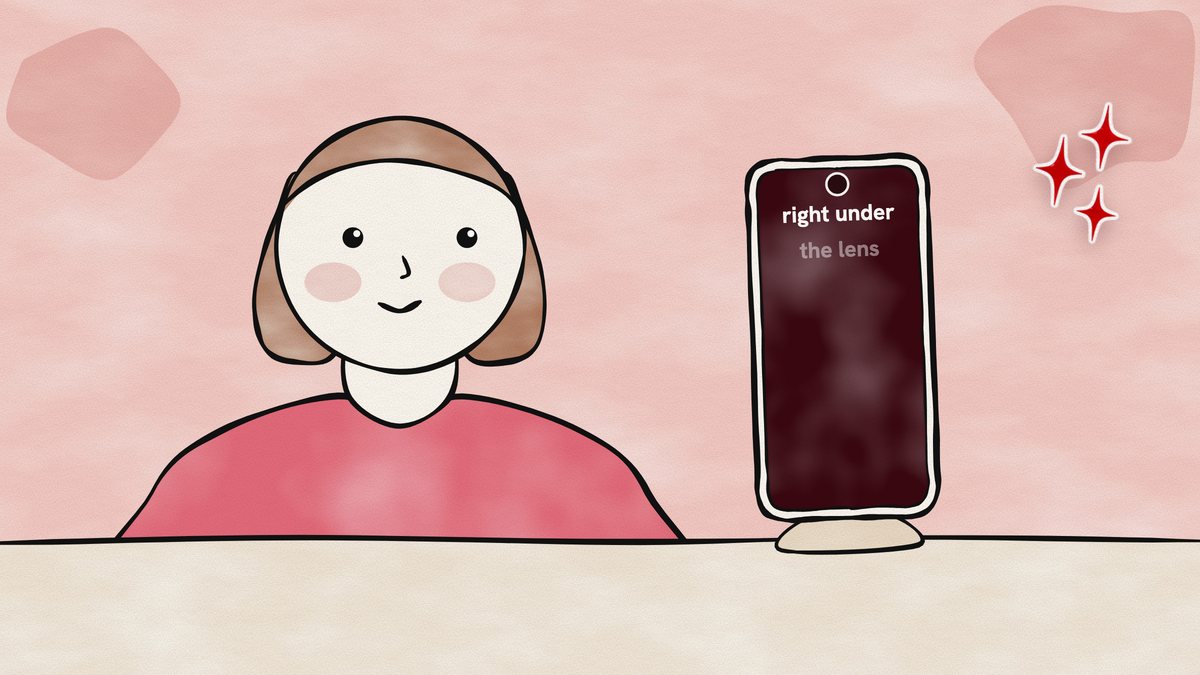
Put the line you are reading directly under the front camera, as high on the screen as the app allows. For a phone held 1 foot away, the author of that study worked out that 5 degrees comes to about 1 inch between the camera and what you are looking at 1. So the line you read should sit within about an inch of the lens.
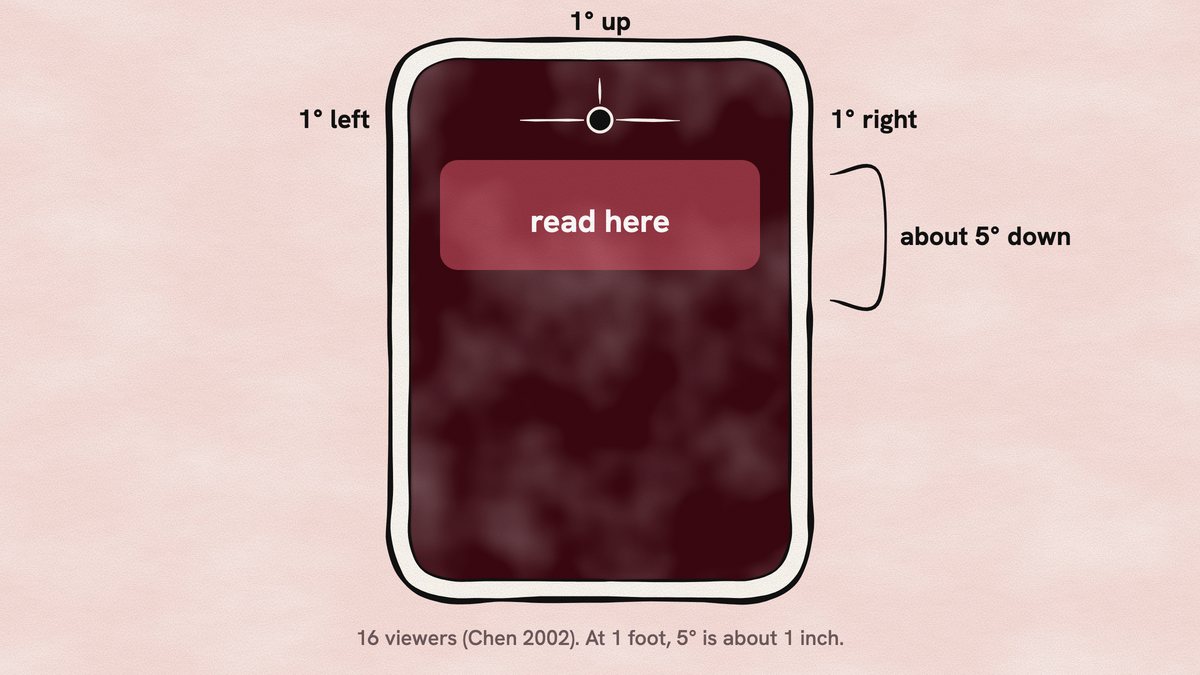
Distance helps too. In a study of video consultations, 53 viewers compared still images of people looking 7 degrees and 15 degrees away from the camera. In 87% of cases, they saw better eye contact at 7 degrees, and the authors suggest sitting further from the screen to improve eye contact 2. On a phone, that means a stand at arm's length beats a phone held close to your face. By our arithmetic, at 2 feet the same 5 degrees gives you about 2 inches of screen to read from.
How big should the font be, and how long the lines?
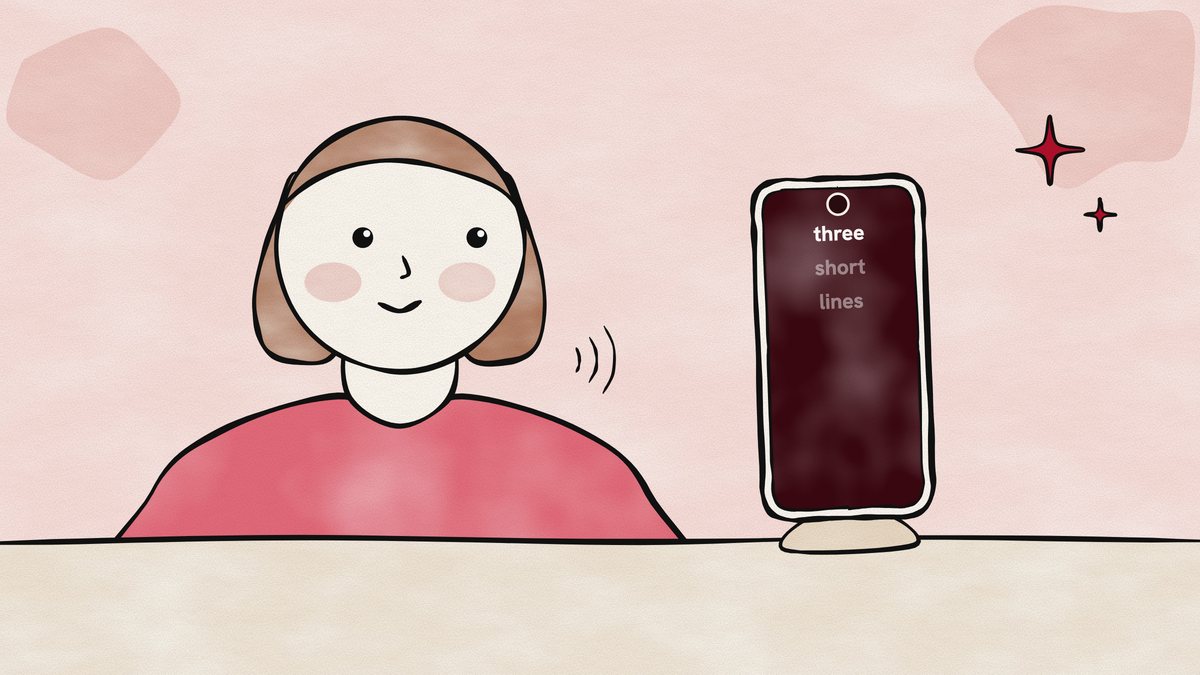
Make the text large enough that you read it without leaning in, and keep each line to a few words. Short lines keep your eyes in that narrow band under the lens. Long lines make your eyes sweep across the whole screen, and on camera a side-to-side sweep is the movement viewers notice, since they caught shifts of about 1 degree left or right 1.
This part is advice rather than research. Try three or four words a line and a font you can read from where you sit. Then record ten seconds and watch your eyes.
How fast should a teleprompter scroll?
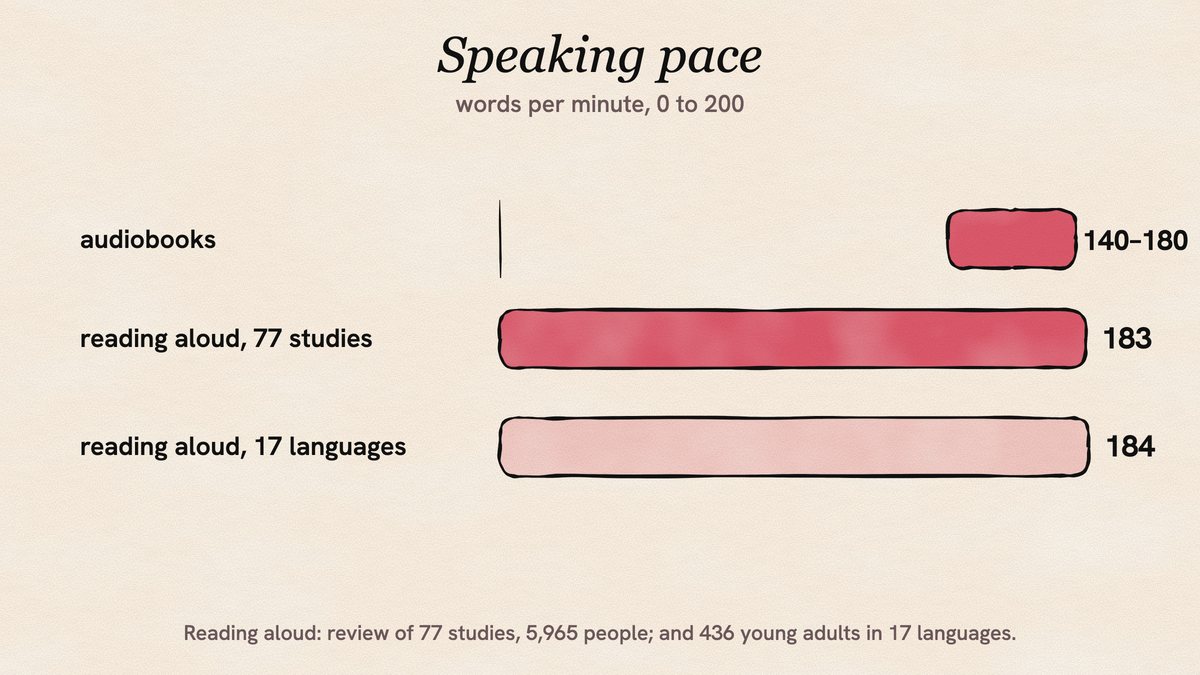
Set the speed to how fast you talk, and start between 140 and 180 words a minute. A review of 77 studies with 5,965 participants found an average reading-aloud rate of 183 words a minute, and the same review puts audiobooks at 140 to 180 3.
Your own pace may sit well away from the average. In a reading study of 436 young adults across 17 languages, the average was 184 words a minute read aloud, and most of the spread came from differences between people rather than between texts 4. So skip other people's settings. Do one read at a speed that feels slightly slow, then nudge it up.
Fixed scroll speed or a teleprompter that follows your voice?
A fixed speed suits a script you know well. Its weak spot is the pause: stop to breathe or let a line land, and the text keeps moving.
Voice-follow apps listen as you speak and move the text with you, waiting when you pause. That suits people who talk unevenly, which is most people speaking naturally. We found no published study comparing the two methods, so choose by feel: if you keep losing your place, try voice-follow. If the app sometimes misses a word, a clear mic and a quiet room usually help.
Front camera or back camera?
Use the front camera when you are filming yourself alone. The text sits right under the lens you are looking into, which is the whole point.
The back camera often gives a sharper image, but it faces away from the screen. It suits filming when someone else is behind the phone. If you film alone with the back camera, you lose sight of the script.
Teleprompter, cue cards or memorizing?
Each one costs something different. Cue cards are cheap and flexible, but they sit away from the lens, so every glance down to the card reads as looking away. Memorizing gives you the freest delivery, but it takes time and one lost line can stop a take. A teleprompter keeps your eyes near the lens and the words in front of you, at the price of sounding read if the script is stiff.
How it looks matters to viewers. In a study of instructor videos, viewers rated a speaker who kept eye contact and spoke fluidly without notes higher on preparedness and effectiveness than a version where the instructor slumped, looked away and used notes. How much viewers learned didn't differ significantly 5. Several things changed at once in those videos, so the study can't tell you how much of that came from the eyes alone.
A middle path works for many people: memorize the first line and the last line, and read the middle.
How do you do takes?
Plan on several takes, and split a long video into short sections that are easy to restart. Leave a beat of silence at the start and end of each take so you have room to cut. If you stumble, pause, go back to the start of that sentence, say it again and trim it later. Keep every take until you have watched them all.
Where does YapPlease fit?
We built YapPlease, an iPhone app, for exactly this setup. The script scrolls over the camera view close to the lens while you record with the front or back camera. Smart follow moves the script line by line with your voice and waits when you pause, with speech recognition running on the iPhone, or you can pick a steady speed. Clap mode shows a few lines at a time and moves on when you clap, and every take is kept in Films.
You can write or paste scripts in the app, or import text, CSV and Excel files, and hear a script read aloud before filming. There is no account and there are no ads. Writing and importing scripts are free. Recording and the teleprompter reader need YapPlease Weekly, a subscription of $4.99 a week in the US with a 3-day free trial for new subscribers.
What can you try today?
- Put the phone on a stand at eye height, at arm's length or a bit further.
- Move the text so the line you read sits within about an inch of the front camera.
- Set three or four words a line and a large font.
- Start the scroll around 140 words a minute, or switch on voice-follow.
- Record a 10-second test and watch your eyes. Shorten lines or move back if they wander.
- Do three takes and keep all of them.
Common questions
Where do you look when using a teleprompter on a phone?
Look at the line just under the front camera, and keep it as close to the lens as you can. In a study of 16 viewers, people were far less sensitive to a gaze below the camera, and the author suggests staying within 5 degrees, which he worked out as about 1 inch on a phone held 1 foot away 1. Looking above or to the side was noticed after about 1 degree 1.
How fast should I scroll a teleprompter?
Start between 140 and 180 words a minute and adjust to your voice. A review of 77 studies found an average reading-aloud rate of 183 words a minute, and puts audiobooks at 140 to 180 3. People differ a lot, so a quick test take beats any preset.
Is a teleprompter better than cue cards?
For looking at the camera, usually yes, because the words sit next to the lens. Cue cards sit off to the side or below, so each glance shows. In one study, an instructor who stood upright, kept eye contact and spoke without notes was rated higher on preparedness and effectiveness than one who slumped, looked away and used notes 5.
Do teleprompter apps that follow your voice work?
They listen as you speak and move the text with you, waiting when you pause. We found no published study comparing them with a fixed scroll, so try both on the same script and keep the one where you lose your place less.
Sources
- Chen M (2002). Leveraging the asymmetric sensitivity of eye contact for videoconferencing. Proceedings of the SIGCHI Conference on Human Factors in Computing Systems (CHI 2002), 49-56. DOI
- Tam T, Cafazzo JA, Seto E, Salenieks ME, Rossos PG (2007). Perception of eye contact in video teleconsultation. Journal of Telemedicine and Telecare 13(1):35-39. PubMed
- Brysbaert M (2019). How many words do we read per minute? A review and meta-analysis of reading rate. Journal of Memory and Language 109:104047. DOI
- Trauzettel-Klosinski S, Dietz K, IReST Study Group (2012). Standardized assessment of reading performance: the New International Reading Speed Texts IReST. Investigative Ophthalmology & Visual Science 53(9):5452-5461. PubMed
- Carpenter SK, Wilford MM, Kornell N, Mullaney KM (2013). Appearances can be deceiving: instructor fluency increases perceptions of learning without increasing actual learning. Psychonomic Bulletin & Review 20(6):1350-1356. PubMed
Keep reading
How to read a script without looking like you're reading
Viewers are sharp at spotting where eyes point, yet loose about what counts as eye contact. Use that: short lines, text near the lens, calm pace.
How to look at the camera while reading a script
Gaze studies say eye contact survives a few degrees off the lens. Here is how that turns into centimetres on your phone, and where to put the words.
How many words is a 60-second script?
About 150 to 215 words, based on measured rates for reading aloud and for conversation. Here is the arithmetic for 15 seconds to 3 minutes.